FR Legends Black Screen Fix – 9 Proven Solutions
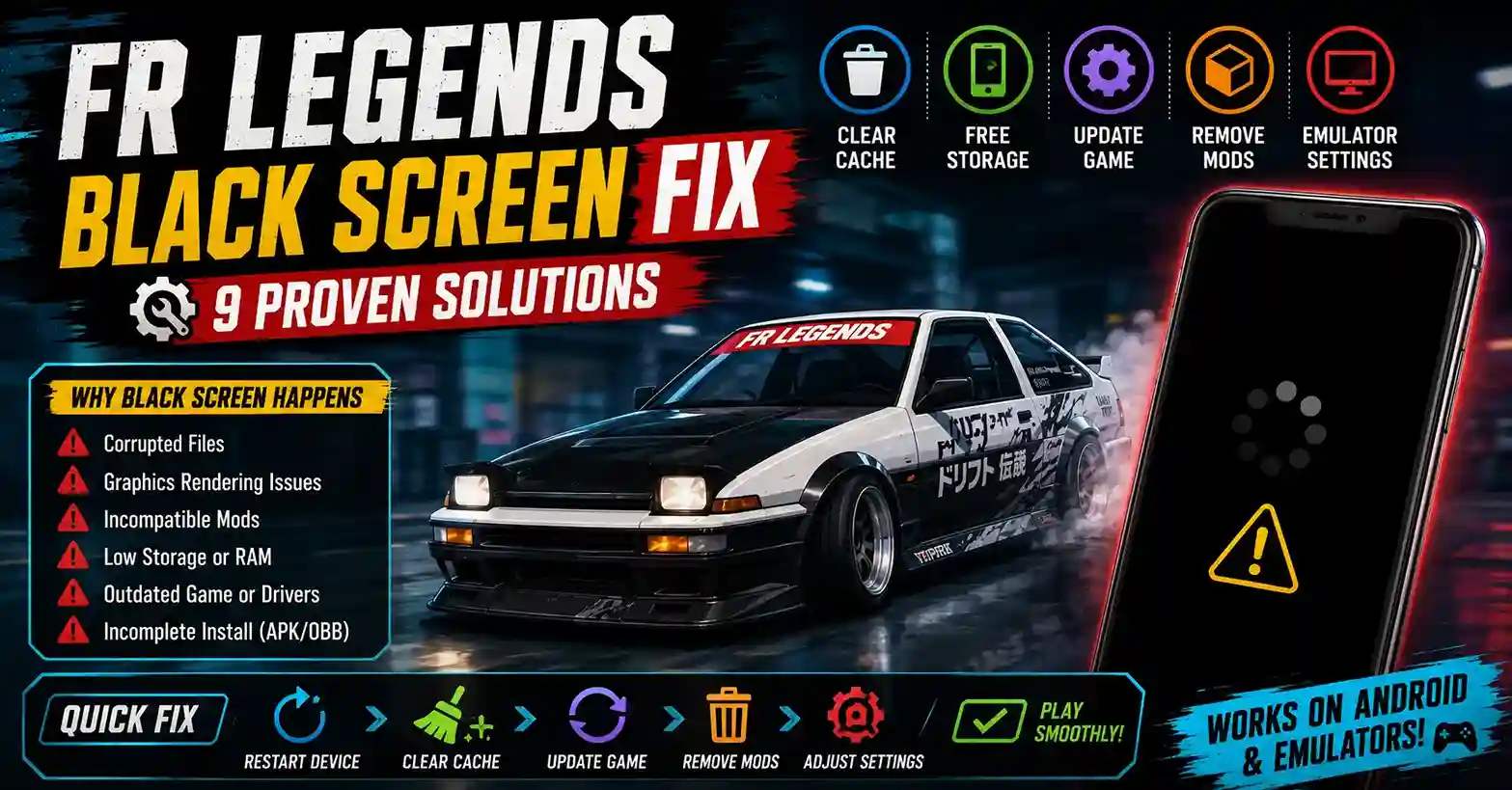
Some players tap the FR Legends icon and get nothing but a black screen where the game should be. It happens after updates, after installing a mod, on stock Android phones, and inside PC emulators. The app looks open, but the screen never loads past black.
A black screen does not always mean the game is broken. Most cases trace back to graphics rendering, corrupted files, compatibility gaps, or an incomplete install. This guide covers why FR Legends Not Working shows up as a black screen and how to fix it, whether you run the official build or an FR Legends Mod APK.
Why Does FR Legends Show a Black Screen?
Black screens usually come from one of six causes: corrupted game files, graphics rendering issues, an incompatible Android version, emulator problems, an incomplete APK or OBB install, or an outdated game version.
Finding the cause first saves time. A rendering issue needs a graphics fix, not a reinstall. A missing OBB file needs a proper install, not a mod swap. Match the trigger to the fix before touching anything.
When Does the Black Screen Appear?
Before the Game Logo
If the screen stays black before the logo appears, the app is failing to initialise. This usually points to a corrupted APK, missing permissions, or a signature problem.
After the Loading Screen
A black screen after loading usually means the game engine started, but cannot render the garage or menu. Graphics drivers, OBB data, or version mismatches are the usual suspects.
During Gameplay
Mid-race black screens point to GPU overload or overheating. The game is still running in the background, but the render pipeline has stalled.
Only on Emulator
Emulator-only black screens almost always come from graphics mode conflicts, low RAM allocation, or missing virtualization support in the BIOS.
9 Proven Fixes That Actually Work
Run these in order and test after each one. Most black screens resolve within the first four fixes.
1. Restart Your Device
A restart clears stuck processes and frees RAM. It sounds basic, but it resolves a large share of black screen reports on its own.
2. Check Available Storage
Keep at least 2 GB free. FR Legends needs room for cache, saves, and temporary render files. A phone at 98% storage often loads to black.
3. Update FR Legends
Older versions may fail against current server data or new Android builds. Install the latest version from the Play Store or a trusted APK source.
4. Clear Cache
Go to Settings, Apps, FR Legends, and clear cache. This removes broken temporary files without deleting your progress.
5. Verify APK Files
Check the APK file size against the source page. If the download was interrupted, the file is incomplete and needs to be redownloaded.
6. Disable Problematic Mods
If the black screen started after installing a mod, remove it. Modded files often target one specific game version, and any mismatch triggers a black screen on launch.
7. Update Graphics Drivers (Emulator)
On PC, outdated GPU drivers cause rendering failures inside emulators. Update NVIDIA, AMD, or Intel drivers before blaming the game.
8. Adjust Emulator Graphics Settings
Switch between OpenGL and DirectX in your emulator settings. Allocate at least 4 GB of RAM and enable virtualization in BIOS. The Best Emulator Settings for FR Legends guide covers per-emulator tuning in detail.
9. Reinstall the Game
Only after the first eight fixes fail. Back up progress first, then follow How to Install FR Legends on Any Device for the correct APK and OBB placement.
Black Screen vs Other Problems
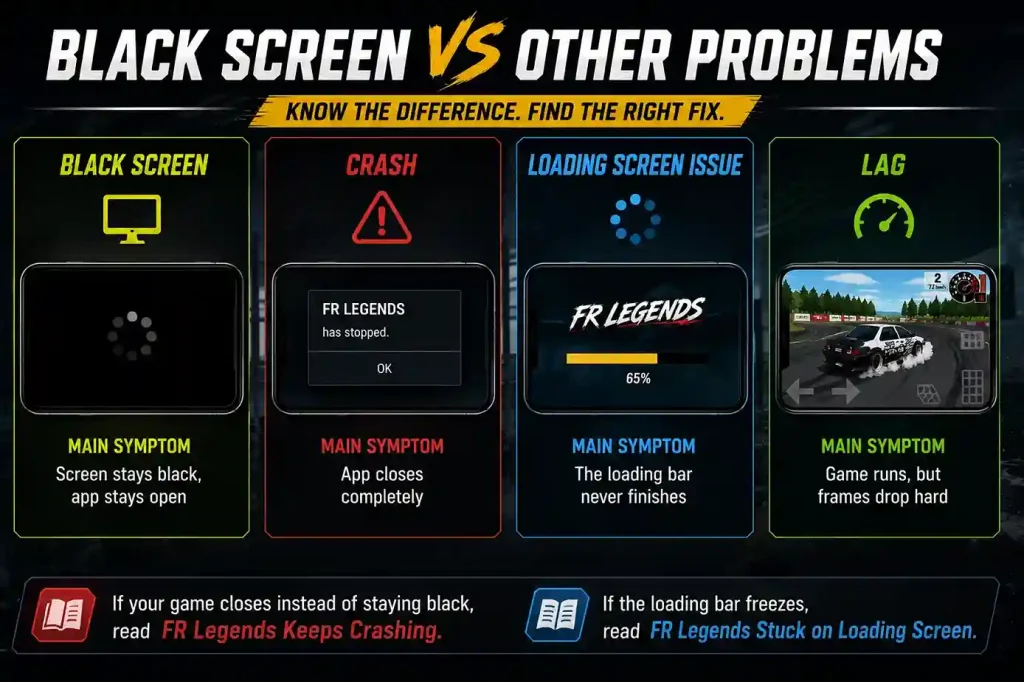
Not every launch issue is a black screen. Here is how they differ.
| Problem | Main Symptom |
| Black Screen | Screen stays black, app stays open |
| Crash | App closes completely |
| Loading Screen Issue | The loading bar never finishes |
| Lag | Game runs, but frames drop hard |
If your game closes instead of staying black, read FR Legends Keeps Crashing. If the loading bar freezes, read FR Legends Stuck on Loading Screen instead.
Can Mods Cause a Black Screen?
Yes. Incompatible or outdated mods are one of the top causes of black screens after launch. Mods replace core game files, and any mismatch with the current version stops the render pipeline before the game appears.
Only install mods that clearly state the supported game version and post a recent update date. Players choosing between options should compare FR Legends Mods for compatibility and reliability before installing anything.
How to Prevent Black Screen Issues
- ✓ Keep the game updated to the latest version
- ✓ Install APK files only from trusted sources
- ✓ Avoid mods older than your current game version
- ✓ Leave at least 2 GB of storage free at all times
- ✓ Update your emulator alongside the game
- ✓ Restart your device after major system updates
A stable setup is mostly a habit. Free storage, matched versions, and updated drivers prevent most black screens before they happen.
Conclusion
Black screen issues in FR Legends usually have a practical fix. Corrupted files, wrong graphics mode, bad mods, and low storage cause most cases, and none of them need a complicated solution.
Work through the fixes in order instead of reinstalling first. Identify when the black screen appears, match it to a likely cause, and apply the right fix. Most FR Legends Not Working reports that look like black screens are gone within a few minutes once the right fix is applied.
FAQs
Why is FR Legends stuck on a black screen?
The most common causes are corrupted files, incompatible mods, low storage, or graphics rendering issues on emulators. Identify when the black screen appears to narrow down the cause.
Can mods cause a black screen?
Yes. Mods built for a different game version often fail to load and leave the screen black. Only install mods that match your current version.
Does reinstalling fix the problem?
Sometimes, but not always. Reinstall only after simpler fixes like clearing cache, updating the game, and removing mods have failed.
Why does the game show a black screen after an update?
The update may not have installed cleanly, or your mod is no longer compatible. Clear the cache first, then remove any mods.
Can low storage cause a black screen?
Yes. FR Legends needs free space for cache and temporary files. Keep at least 2 GB free.
Why does FR Legends show a black screen on BlueStacks?
Usually a graphics mode or RAM allocation issue. Switch between OpenGL and DirectX, allocate 4 GB RAM, and update your GPU drivers.
Is the black screen different from crashing?
Yes. A black screen keeps the app open with no display. A crash closes the app entirely.
What should I try first before reinstalling?
Restart the device, clear cache, free up storage, and remove any recent mods. These four steps fix the majority of cases.