FR Legends Camber Caster Toe: Clean Angle Setup Guide [v0.3.6]
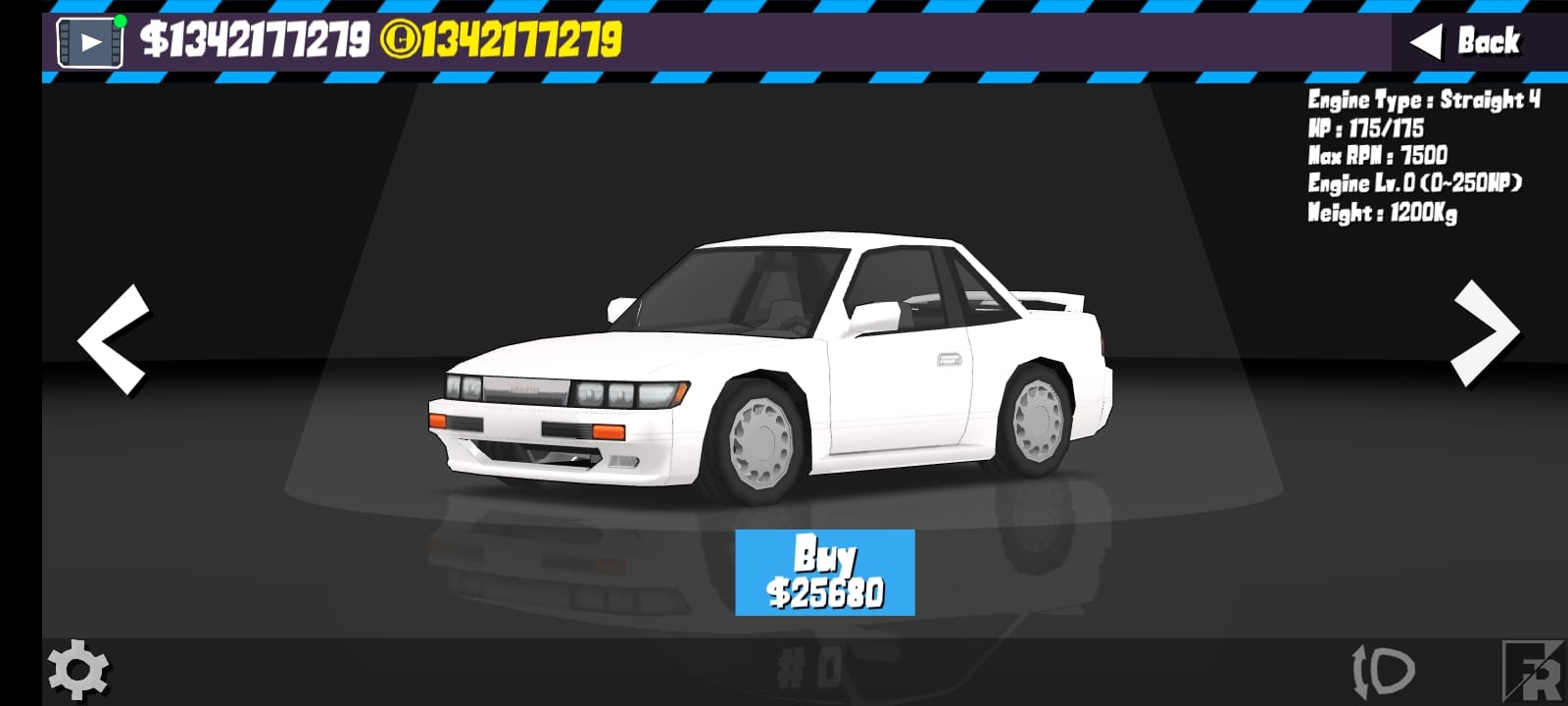
Getting your alignment right makes the difference between smooth, high-scoring runs and frustrating spins that kill your momentum. Your front tfr legends camber, caster, and toe settings control how your car enters corners, holds angle, and exits cleanly.
This guide gives you baseline presets that work on most tracks, plus a simple method to fine-tune your front and rear ends separately. You’ll learn to fix snap oversteer, push problems, and that annoying mid-corner wobble that ruins good runs.
No guesswork – just proven adjustments that actually improve your scores.
Key Takeaways
- Set tires and power first, then alignment, gearing
- Front-end controls bite and return-to-center; rear-end controls exit stability
- Change one variable at a time and save presets per track
Alignment Basics and Score Impact
How alignment affects turn-in, mid-corner angle, and proximity
Your alignment settings directly impact three scoring zones in every drift. Turn-in determines how quickly you can initiate without losing control or missing your line.
Mid-corner angle stability keeps you sideways consistently. Wobbly steering or sudden snaps cost points because the game rewards smooth, sustained angles.
Proximity scoring relies on predictable car behavior. If your alignment makes the car twitchy or unpredictable, you can’t get close to walls or other cars safely.
Grip vs angle trade-off with camber/caster/toe
More aggressive alignment gives sharper responses but makes the car harder to control. Conservative settings feel stable but might not rotate fast enough for technical sections.
The sweet spot varies by track and power level. Technical layouts often need more aggressive front settings for quick direction changes.
High-speed tracks prefer calmer settings that don’t fight you during long, sustained drifts. Your alignment should match your track demands, not just feel preferences.
Why beginners should lock a baseline and iterate slowly
Start with proven baseline settings before making any changes. Random adjustments without a reference point usually make things worse, not better.
Change only one alignment variable per test session. If you adjust camber and toe together, you won’t know which change helped or hurt your performance.
Save successful configurations with clear names like “Tech_Sharp_Front” or “Sweep_Stable_Base” so you can return to working setups quickly.
Quick-Start Baseline Presets
These patterns work across different car and track combinations. Adapt the intensity based on your specific setup and comfort level.
| Scenario | Front Camber | Front Caster | Front Toe | Rear Camber | Rear Toe | Notes |
| Stable Beginner Runs | mild negative | medium-high | small toe-out | mild negative | small toe-in | Predictable return-to-center |
| Technical Tracks | a bit more negative | medium | small toe-out | neutral to mild negative | neutral | Faster rotation, less snap |
| High-Speed Sweepers | moderate negative | higher | tiny toe-out | mild negative | moderate toe-in | Calm at a big angle, steady exits |
When to use these presets:
- Stable Beginner: When learning new tracks or cars, prioritizes consistency over peak performance
- Technical: For tight courses with lots of direction changes and linked sections
- High-Speed: For tracks with long sweepers where you need smooth, sustained angles
Most players find the stable beginner preset works well as a starting point. You can sharpen it up for specific tracks once you’re comfortable with the baseline behavior.
Step-by-Step Alignment Flow
Pick a track and power band.
Study your track layout and identify the most challenging sections. Technical tracks need different fr legends alignment than flowing circuits.
Note your car’s power delivery characteristics. Low-power builds need more grip to maintain momentum, while high-power cars need stability to control wheelspin.
Consider your skill level honestly. Aggressive alignments feel impressive, but can hurt consistency if you’re still learning proper drift techniques.
Apply a preset from above.
Choose the preset that best matches your track type and experience level. Don’t skip this step and jump straight into custom adjustments.
Test the baseline preset for several complete runs before making changes. Get familiar with how the car behaves before you start tweaking.
Pay attention to specific problem areas during your baseline runs. Note where the car feels unstable, unresponsive, or unpredictable.
Tune front first (caster → camber → toe), then rear (camber → toe)
Always adjust front-end settings before touching rear settings. The front end controls how the car initiates and steers through transitions.
Follow the order: caster first, then camber, then toe. Each setting influences the others, so this sequence prevents conflicting adjustments.
Test thoroughly after each front-end change before moving to the rear adjustments. Rear changes can mask front-end problems if you rush the process.
Test a full lap, save, then tweak in small steps.s
Complete full laps rather than testing single corners. Alignment changes often help one section while hurting another area of the track.
Save your setup after each successful adjustment session. Use descriptive names that remind you what each preset does well.
Make tiny adjustments between test sessions. Small alignment changes have bigger effects than you might expect, especially with fr legends camber settings.
Front End: Camber, Caster, Toe-Out
Camber (front bite vs tyre contact at angle)
More negative gives you a sharper turn-in bite and faster rotation. The car responds quicker to steering inputs and initiates drifts more aggressively.
However, too much negative camber makes the steering twitchy and unpredictable. You’ll fight constant small corrections instead of holding smooth angles.
Less negative camber provides calmer, more predictable steering. The car feels stable but might push through corners instead of rotating properly.
Find the balance where you get good turn-in without constant steering corrections. Most tracks work well with mild to moderate negative camber up front.
Caster (self-centering & stability)
A higher caster gives a stronger return-to-center feel and better high-speed stability. The wheel naturally wants to straighten out, which helps with long sweepers.
The downside is a heavier steering feel and more resistance to quick direction changes. High caster can make technical sections feel sluggish.
Lower caster provides lighter steering and easier flick transitions. You can change directions faster, but lose some stability at speed.
Match your caster to your track demands. Technical layouts often prefer medium caster, while high-speed tracks benefit from higher settings.
Toe-Out (turn-in and initial angle)
Small toe-out quickens your turn-in response and helps with initial angle generation. The car wants to rotate into corners more readily.
Too much toe-out makes the car nervous and twitchy. You’ll get quick turn-in but struggle with stability through sustained angles.
Start with tiny amounts of toe-out and increase gradually. Most cars work well with just a small amount – more isn’t always better.
If entries feel dull, add a touch of toe-out or camber; if the wheel fights you, lower caster slightly.
Rear End: Camber, Toe-In, Stability
Rear Camber
Mild negative rear camber provides balanced traction and slide characteristics. You get a good grip for acceleration while still allowing controlled slides.
Too much negative camber makes exits unstable and reduces drive out of corners. The car becomes unpredictable when you apply the throttle.
Most setups work best with less rear camber than front camber. The rear end needs more stability than the front for consistent performance.
Conservative rear camber settings help maintain momentum through linked sections and provide predictable exit behavior.
Rear Toe-In
Small toe-in promotes straighter exits and reduces snap oversteer when you apply throttle. The car tracks more predictably under acceleration.
Too much toe-in causes understeer and slows down transitions between corners. You’ll struggle to link sections smoothly.
Start with minimal rear toe-in and increase gradually if you have exit stability problems. Many cars work well with just a hint of toe-in.
Quick rule: Fix exit stability with rear changes before touching the front again.
The rear end determines how your car behaves under throttle. Get the exits working properly before making front-end adjustments that might create new problems.
Track-Type Alignment Presets
Tight/Technical Layouts
Front: slightly more negative camber, small toe-out, medium caster
Rear: neutral to mild negative camber, minimal toe-in
Goal: fast rotation without snappy transitions
Technical tracks reward quick direction changes and precise line control. You need responsive steering without making the car unpredictable.
More aggressive front camber helps with tight corner entries. Keep rear settings conservative to maintain stability through quick transitions.
Medium caster provides a good compromise between responsiveness and control. You get decent turn-in without fighting the wheel constantly.
Mixed Layouts
Front: balanced camber, medium-high caster, tiny toe-out
Rear: mild negative camber, small toe-in.
Goal: consistent line with easy recoveries
Mixed tracks require versatile settings that handle both tight and flowing sections reasonably well. Prioritize consistency over specialized performance.
Balanced front settings work well across varied corner types. You won’t be perfect anywhere, but you’ll be competitive everywhere.
Medium-high caster helps with the flowing sections while still allowing decent performance in tighter areas.
High-Speed Sweepers
Front: moderate negative camber, higher caster, tiny toe-out.
Rear: mild negative camber, moderate toe-in
Goal: calm steering, long stable arcs at an angle
High-speed tracks need stability above all else. The car should track straight and predictable during sustained high-angle drifts.
A higher caster provides the self-centering force needed for long sweepers. The steering wheel naturally finds the right position for sustained angles.
Moderate rear toe-in prevents snap oversteer during long throttle applications. You can hold a steady throttle without constant corrections.
Power-Band Alignment Presets
250–350 HP
Lower-powered cars need more rear grip to maintain momentum. Use less negative rear camber and add a touch of toe-in for exit stability.
Keep front settings a bit calmer to avoid snap reactions when the limited torque hits suddenly. Smooth power delivery works better than aggressive settings.
These cars benefit from FR Legends tuning settings that prioritize momentum conservation over raw performance.
350–500 HP
This power range offers the most flexibility in alignment choices. Start with neutral baseline settings and adjust based on specific track demands.
You have enough power to overcome minor alignment inefficiencies, so focus on what makes the car feel good to drive.
Adjust front camber and toe based on track type rather than power limitations. The car has enough torque to work with various alignment approaches.
500+ HP
High-power builds need exit stability more than sharp turn-in. Keep exits tidy with rear toe-in and avoid excessive front toe-out that triggers sudden snaps.
These cars generate enough rotation from power alone. Conservative alignment settings help you control the power rather than adding more instability.
Focus on smooth, predictable settings that let you modulate the throttle precisely. Small alignment changes have bigger effects with high power levels.
Sensitivity & Steering Curve Pairing
Why higher caster prefers a softer steering curve
A higher caster creates more resistance in the steering system. Softer steering curves help compensate by making small inputs easier to control.
Linear or aggressive curves can make high-caster setups feel heavy and unresponsive. You’ll fight the wheel instead of guiding the car smoothly.
Match your curve settings to your caster choices. A conservative caster works with more aggressive curves, while a high caster needs softer input mapping.
Throttle/brake curves to settle transitions
Smooth throttle curves help settle the car during direction changes. Aggressive curves can upset your alignment’s balance during quick transitions.
Brake curves affect how the car transfers weight during entries. Softer curves give you more control over weight transfer timing.
Consider your fr legends caster settings when choosing curve aggressiveness. Calmer alignment often works better with softer input curves.
Handbrake taps vs long pulls with calmer front settings
Calmer front alignments respond better to quick handbrake taps than long pulls. Long applications can overwhelm conservative settings.
Sharp front alignments might need longer handbrake applications to overcome their natural stability. Adjust your technique to match your setup.
Practice handbrake timing with your specific alignment setup. Different toe settings require different correction techniques for optimal results.
Troubleshooting Matrix
| Symptom | Fix |
| Understeer on entry | Add small front toe-out or more front camber; slightly lower caster |
| Snappy spins on transition | Add a touch of rear toe-in; reduce front toe-out; soften caster |
| Wobbly mid-corner steering | Reduce front camber a bit; increase caster slightly |
| The car won’t hold long angles | Add rear toe-in and a hint more front caster |
| Exits feel slow/boggy | Reduce rear toe-in or reduce rear negative camber |
| Steering fights you on sweepers | Lower caster a notch; check tire pressures |
Use this matrix when you have specific problems to solve. Most alignment issues fall into these common categories with straightforward solutions.
Remember to make small adjustments and test thoroughly. What feels like a minor tweak can have major effects on car behavior.
Common Mistakes
Tweaking alignment before tires/power/gearing are set
Get your fundamental setup right before fine-tuning alignment. Alignment can’t fix problems caused by wrong tire pressures or poor gear ratios.
Set your power level, choose appropriate proven gear setups, then dial in your alignment to complement those choices.
Too much front toe-out for beginners
New players often think that more toe-out equals better turn-in. Excessive toe-out makes the car nervous and hard to control consistently.
Start with tiny amounts and increase gradually. Most cars work better with subtle toe-out rather than aggressive settings.
High caster plus high sensitivity is causing zig-zag
This combination creates twitchy, unpredictable steering that’s impossible to control smoothly. Lower one or both settings for better consistency.
Match your sensitivity to your caster choices. High caster works better with lower sensitivity settings for most players.
Copying pro settings without matching track/power
Pro drivers use specific settings for their exact combination of car, power, track, and driving style. Blindly copying rarely works well.
Use pro settings as inspiration, not exact templates. Adapt the concepts to match your specific setup and skill level.
Pro Tips for Tandems & Scores
Build “Lead” and “Chase” alignment presets
Leading and chasing require different approaches to car setup. Lead drivers need predictable, consistent behavior for setting a clean pace.
Chase drivers benefit from slightly more responsive settings that help them adjust to the leader’s unpredictable movements.
For chase: a hint more rear toe-in for predictable exits
Chase cars need exit stability more than turn-in sharpness. Rear toe-in helps maintain consistent spacing when applying the throttle.
For lead: slightly sharper front (toe-out/camber) to set pace cleanly
Lead drivers control the run’s rhythm and need responsive steering to place the car precisely. Slightly more aggressive front settings help with line precision.
Save per-track variants labeled by sector focus. Different tracks emphasize different aspects of your alignment setup. Save track-specific variants that optimize for each circuit’s unique demands.
Use names like “Ebisu_Tech_Sharp” or “Suzuka_Sweep_Stable” to quickly identify the right setup for each track type.
Many competitive players also experiment with new cars in FR Legends to find a chassis that matches their preferred alignment styles.
FAQs
What are the best fr legends camber caster toe settings for beginners?
Start with the “Stable Beginner Runs” preset from the quick-start table. Use mild negative camber front and rear, medium-high caster, small toe-out front, and small toe-in rear.These settings prioritize consistency and forgiveness over peak performance. You can sharpen them up as your skills improve.
Should I run higher or lower caster for sweepers?
Higher caster for sweepers. It boosts self-centering and keeps long angles stable. Lower caster feels lighter for technical sections but fights you on high-speed arcs.
How much toe-out is safe for quick turn-in?
Start tiny. A small toe-out sharpens turn-in; too much makes the car nervous and twitchy. If entries feel dull, add a little more step by step.
When should I increase rear toe-in for exits?
If you get snap oversteer or throttle-exit unpredictability, add a touch of rear toe-in. Go small first too much can cause understeer and slow transitions.
How much does camber affect score?
A lot. Camber shapes turn-in bite and mid-corner stability. Bad camber kills consistency; good camber smooths initiation and reduces wobble for steadier scores.
Do I need separate alignment presets for tandems?
Yes. Run a predictable “Lead” setup and a more responsive “Chase” setup. Save both solo and tandem rarely share the same sweet spot.